 Calorie AI
Count calories with one photo
Snap your plate. AI does the counting.
Free to download. Pro is optional. See Google Play for pricing in your country.
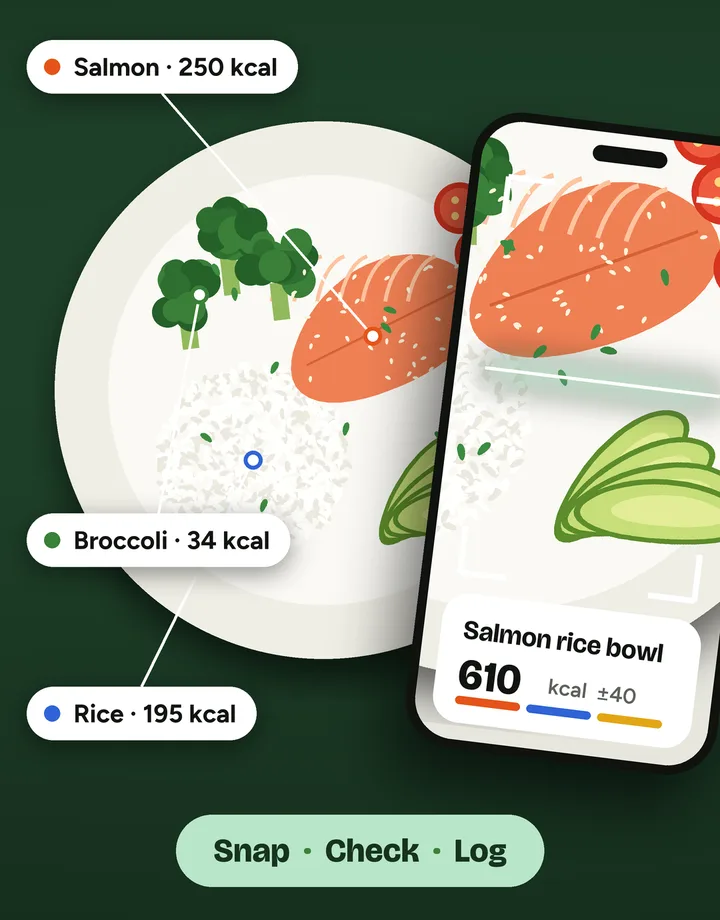
Snap a meal. Know what’s in it.
Three steps from plate to log.
Snap
Take a photo of your meal, or pick one from your gallery.
Check
See each food with its portion in grams and a ± range. Adjust anything, and add what the camera missed.
Log
Save it to your day. Your calories and macros update straight away.
What’s inside
One photo, every food on the plate
- The AI identifies each food and estimates portions in grams, plus calories, protein, carbs and fat.
- Every estimate shows a ± range. Items the AI is unsure about are flagged to check.
- It suggests “hidden calories” a camera can’t see: cooking oil, sauces, dressings.
- You review and adjust portions, add missed items, then log.
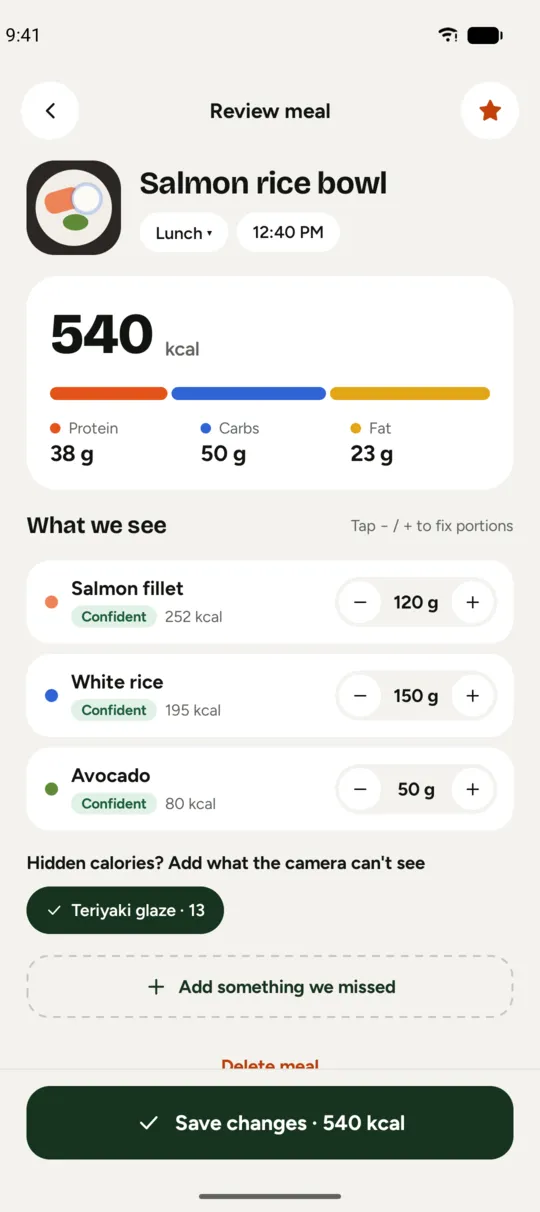
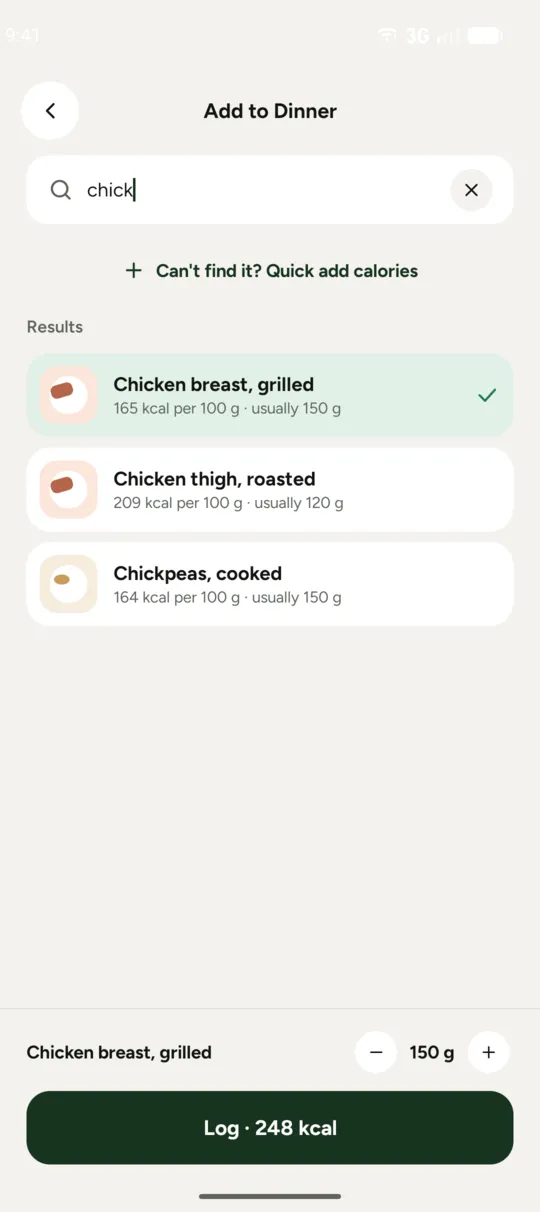
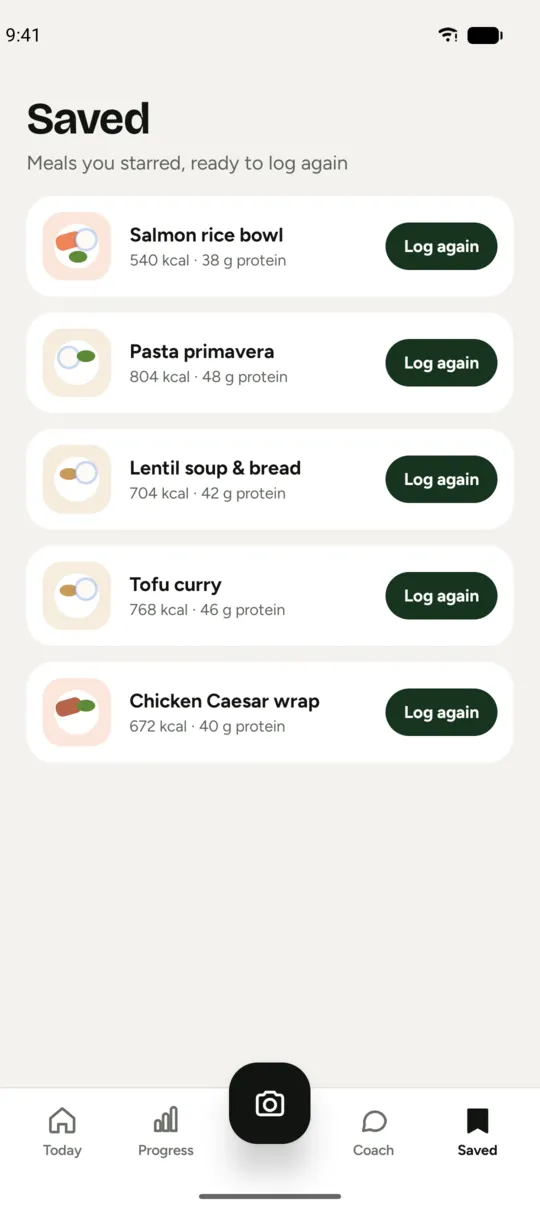
Photo not an option? Log it another way
- A barcode scanner for packaged food. It runs on your device and works offline.
- Food search in a built-in food database.
- Quick add, for calories only.
- Saved favourite meals, logged again in one tap.
A plan that fits you, and a way to see it working
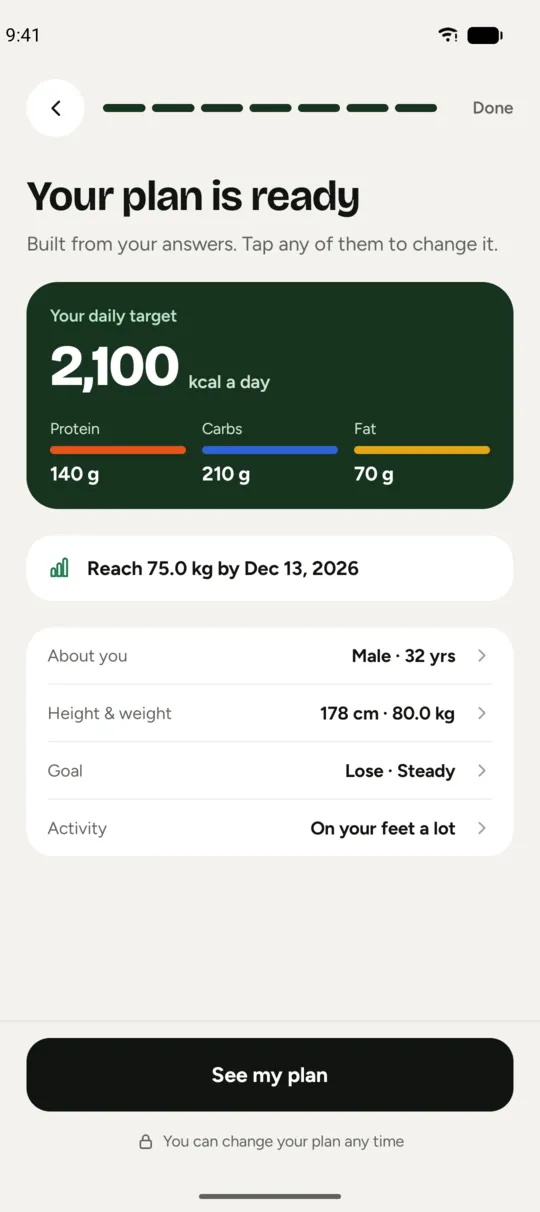
- A personal plan from your age, sex, height, weight, activity, goal (lose, maintain or gain) and pace. It gives a daily calorie target, protein, carb and fat targets, and projects the date you reach your goal weight.
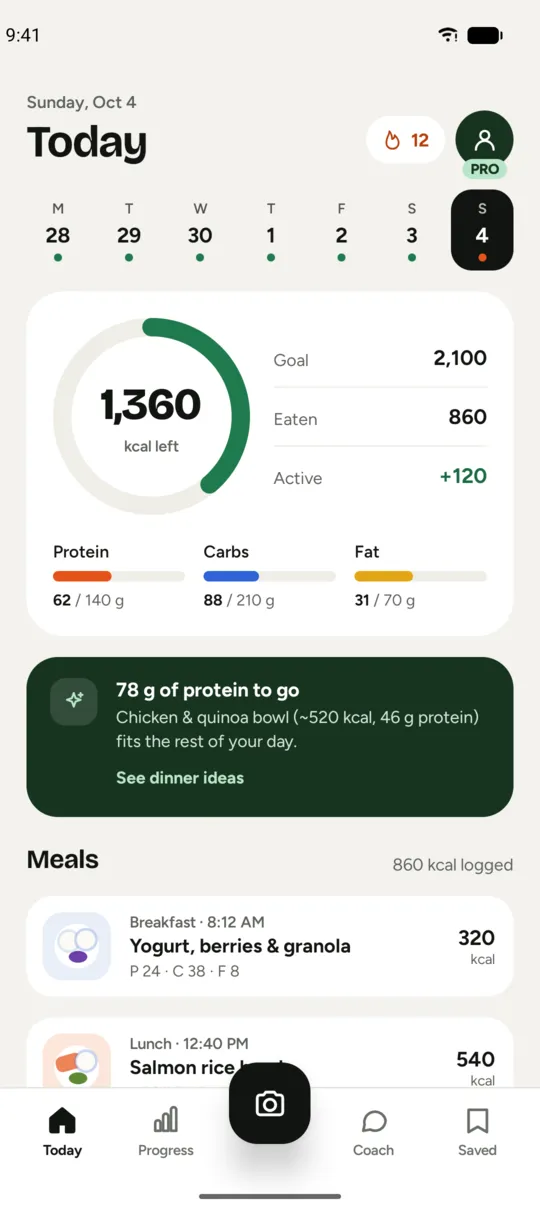
- Today view: calorie ring, macro bars, and a “what fits next” suggestion.
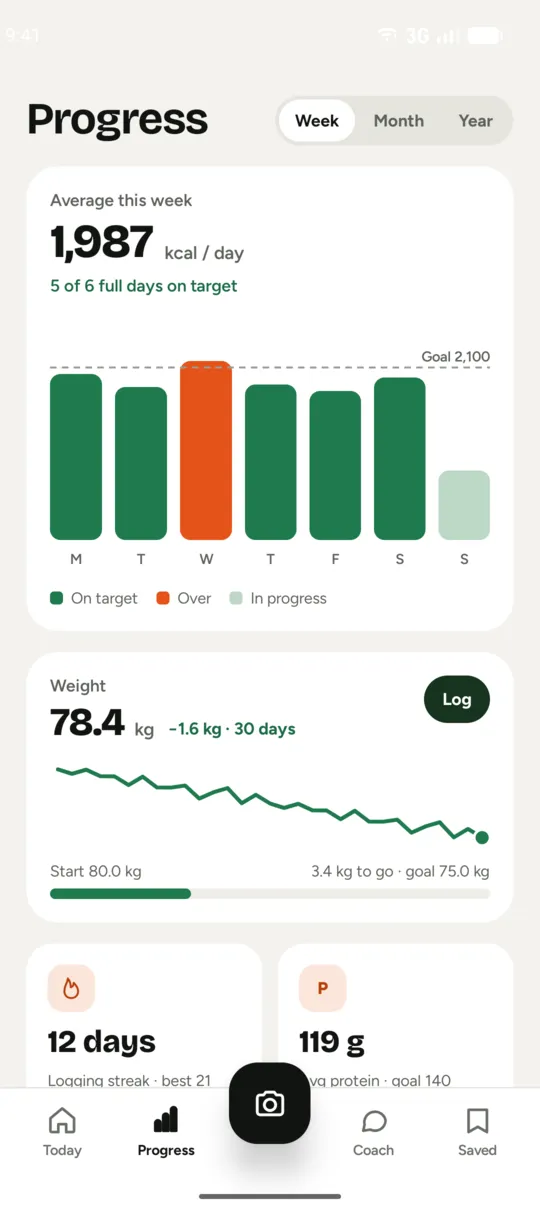
- Progress: weekly, monthly and yearly calorie trends, days on target, a weight tracker with a chart, and a logging streak.
Ideas for what’s left of your day
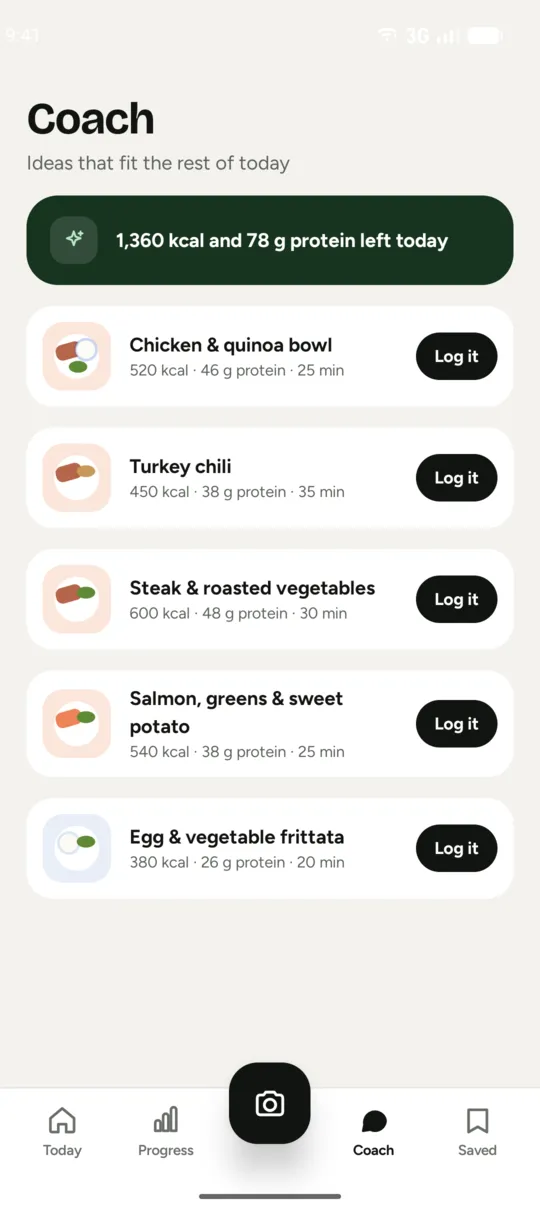
- Meal ideas that fit your remaining calories and protein.
- Diet filters: vegetarian, vegan, pescatarian, low carb, halal, dairy-free, gluten-free.
- Meal and weigh-in reminders, skipped when that meal is already logged.
Your account is optional
- Sign in with email and password, or with Google. The app works without an account.
- Your meals, weigh-ins and profile are stored on your device.
- Export meals and weight as CSV with Pro.
Coming later
Voice logging, menu scanning, nutrition-label scanning and an AI coach chat are not in the app yet.
Free vs Pro
Start free. Upgrade if you want unlimited photo scans and cloud backup. See Google Play for pricing in your country.
| What you get | Free | Pro |
|---|---|---|
| On-device logging: search, barcode, quick add, favourites | Included | Included |
| Personal plan, reminders, meal ideas | Included | Included |
| AI photo scans | 3 free scans per account | Unlimited |
| History and trends | Last 30 days | Full history |
| Cloud backup of meals and weigh-ins | No | Included |
| Data export (CSV) | No | Included |
Pro is a subscription through Google Play: yearly with a 7-day free trial, or monthly. Cancel any time in Google Play. Subscription and billing
Questions
How accurate is it?
It gives estimates, not exact numbers. Every result shows a ± range, and foods the AI is unsure about are flagged so you can check them. You review and adjust portions before you log. Oils and sauces are hard to see, so the app suggests “hidden calories” you can add. See the Health disclaimer.
Do I need an account?
No. The app works without one. An account is how free AI scans are counted and how Pro cloud backup works. You can sign up with email and password, or with Google.
What happens to my photos?
Meal photos stay in private storage on your phone and are never uploaded for backup. For an AI scan, a smaller copy (about 1024 px) is sent to Google’s Gemini model through Firebase AI Logic to identify the food. We do not store it on any server. Details are in the Privacy Policy.
Does barcode work offline?
Yes. The barcode scanner runs on your device and works offline.
How do I cancel Pro?
In Google Play, open Payments & subscriptions, choose Calorie AI and cancel. Steps are on the Subscription and billing page.
How do I delete my data?
“Reset all data” in Settings clears your phone. To delete your account and cloud data, email us from the account’s address or follow the deletion page. It is completed within 30 days.
Snap your plate.
Calorie AI gives estimates for general wellness and is not a medical device. Health disclaimer